
Oracle Forms 14, the latest version of the proven enterprise application development environment, brings many new features and improvements. This new version focuses on a modern user experience, improved integration with web technologies and optimized performance. In this article, we take an in-depth look at the new features of Oracle Forms 14 and how they help developers create and manage powerful applications efficiently.
Improvements to the user interface
With Oracle Forms 14, developers can now design more modern and flexible user interfaces. The most important new features are
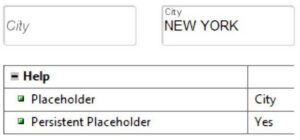
Placeholder texts in text fields: This improves user-friendliness by displaying relevant notes directly in input fields.
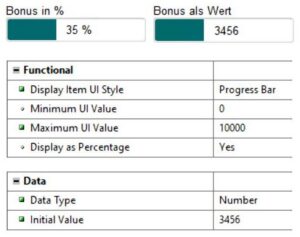
Modern progress bars: Developers can now implement progress bars for long-running processes.
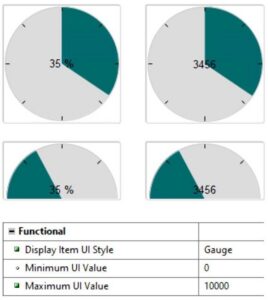
Gauge progress bars: Gauge and Half Gauge are very similar to progress bars as they support the visual representation of a data value.
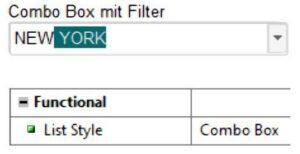
Auto-complete function: Combo boxes can display text suggestions based on data already entered.
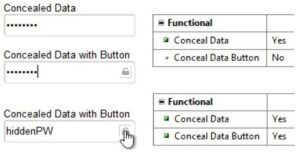
Hidden input: Passwords that are hidden during input can be made visible with a new button. However, only as long as the button is pressed. After the click, the value is hidden again.
Show number of characters: For larger text fields, a character counter can be displayed so that you always know how many characters can still be entered.

Transparent UI elements: A new glass fill pattern enables the creation of modern, transparent interfaces.
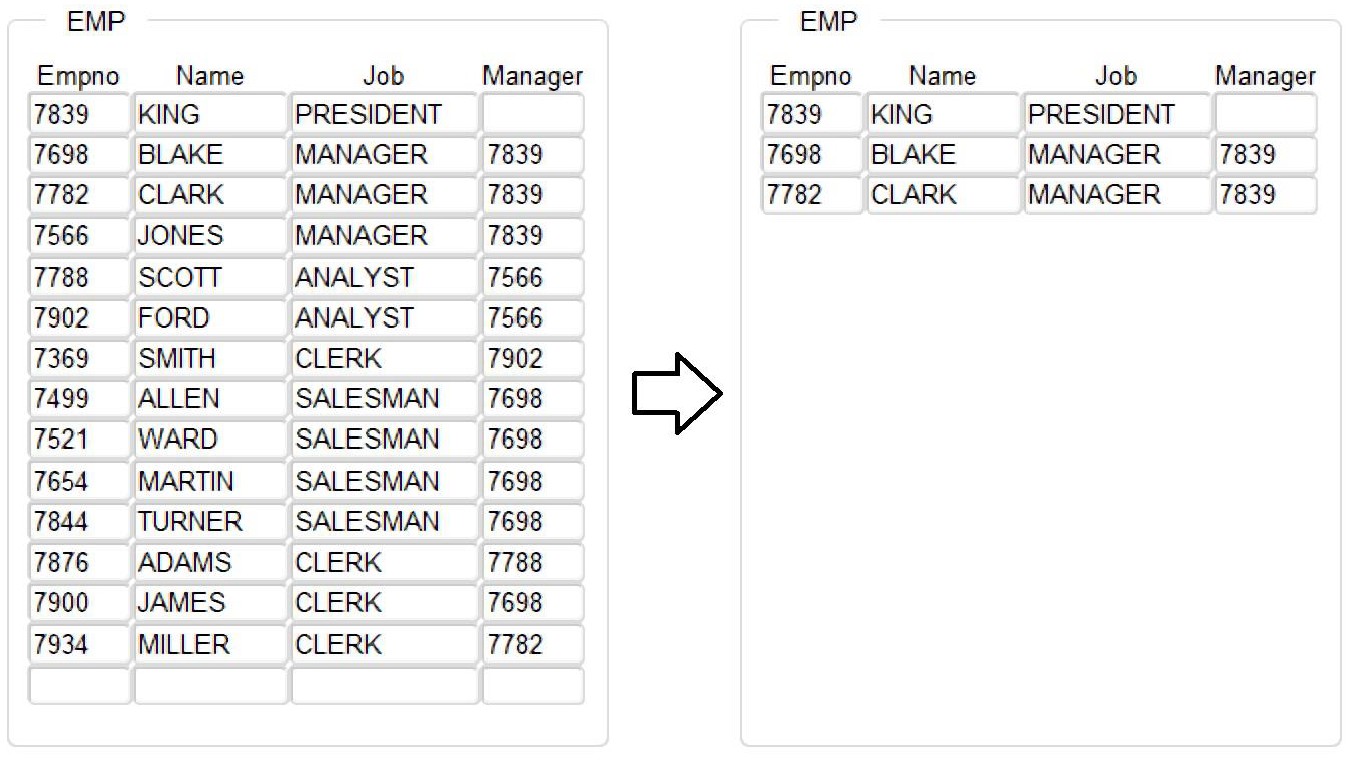
Dynamic layouts: Automatic resizing of blocks based on the amount of data for an optimized display. There is a new parameter Records_Displayed in the procedure SET_BLOCK_PROPERTY.
BEGIN
SET_BLOCK_PROPERTY (‚EMP‘, RECORDS_DISPLAYED, 3);
END;
Listing 1: Reducing the number of rows displayed in a block
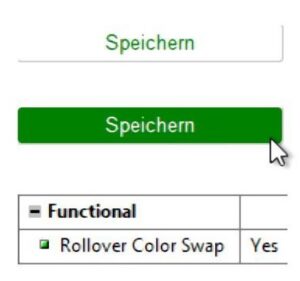
Rollover button: With the “Rollover Color Swap” property, the foreground and background colors are swapped when the mouse is moved over the button.
REST services
Oracle Forms 14 extends the possibilities of application integration with modern web technologies. Particularly noteworthy is the native support of RESTful web services: Developers can now use REST APIs to retrieve or send data from external sources. CRUD operations can be called directly from forms: This allows editing, creating, deleting and retrieving data from REST services. Support for JSON data retrieved via REST services is also new.
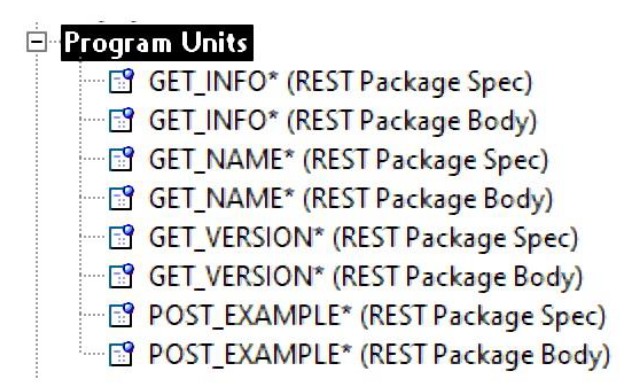
REST Package Designer: With the new REST Package Designer, developers can create PL/SQL packages for direct access to REST services. This enables seamless integration with modern web technologies and APIs.
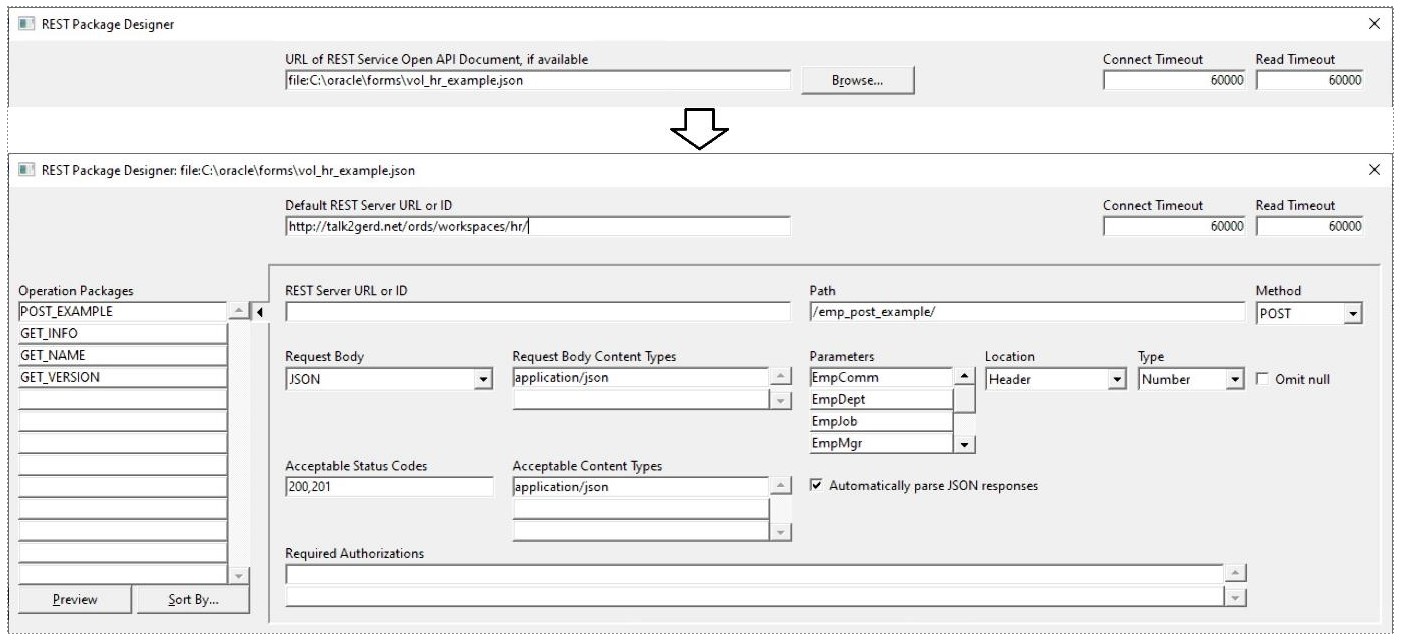
The REST Package Designer generates a separate PL/SQL package for each operation at the touch of a button.
Real-time data update with Continuous Query Notification
A new feature in Oracle Forms 14 is the support for Continuous Query Notification
(CQN). With this function, data is updated in real time when the underlying data changes. The advantages are obvious: Forms masks always show the current values without the user having to start a query. This reduces unnecessary database queries as changes are automatically displayed in the interface. This is perfect for dashboard and reporting applications that require continuous updating.
To do this, you register the query of the forms block that you want to update on the database side. This change notification (QRCN) then starts events that can be queried in Forms. To do this, a WHEN-EVENT-RAISED trigger must be created at form level. The GET_EVENT_OBJECT_PROPERTY function can then be used here to check whether the data block needs to be updated. The following new properties can be read in the function:
- TOTAL_ROWS_AFFECTED
- TOTAL_ROWS_UPDATED
- TOTAL_ROWS_INSERTED
- TOTAL_ROWS_DELETED
- ROWS_INSERTED
- ROWS_DELETED
- ROWS_UPDATED
- TABLE_ALTERED
- TABLE_DROPPED
Performance improvements in data processing
Many performance improvements have been implemented in the new release. The most important are the following features.
Sorting in blocks: In Oracle Forms 14, data can be sorted locally. This reduces the load on the database and significantly improves the reaction speed of the application. A best practice with this new feature is to set the Query All Records property in the data block to TRUE so that all data records are cached in Forms. Otherwise, the sorted data records could lose their sorting when new data records are fetched, as the new data records do not automatically appear in the sorting, but are displayed at the end of the data block.
Such sorting could, for example, be built into a WHEN-MOUSE-DOUBLECLICK trigger at block level.
BEGIN
Sort_Block (:System.Cursor_Item, Nulls_First, Descending)
END;
Listing 2: Start sorting by double-clicking with the mouse
In addition to the field name, up to four parameters can be passed:
- ASCENDING (default) or DESCENDING
- NULLS_LAST (default) or NULLS_FIRST
- CASE_SENSITIVE (default) or CASE_INSENSITIVE
- BINARY_ORDER (default) or LINGUISTIC_ORDER
Improvements in the Form Builder
The Form Builder has also received important new features. The most important ones follow here.
Revised file open dialog: Developers can now open multiple files at the same time, which significantly increases productivity. In addition, the file filter has been set to
*.fmb by default, a feature that many developers have requested in previous versions.
Database name display: Forms Builder now also displays the current database name in the status bar, which is particularly helpful for developers with multiple environments.
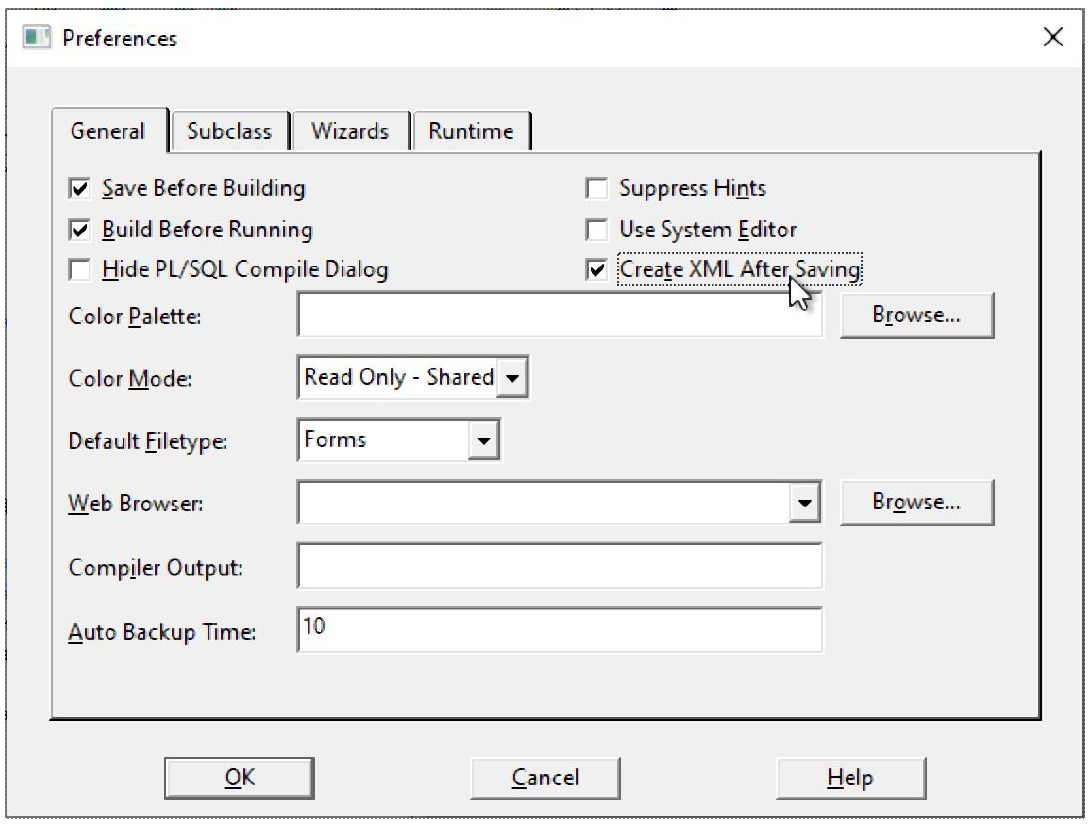
XML backup: Forms modules can now be automatically backed up to XML files, making integration with version control systems such as Git easier.
Improvements to the Forms Standalone Launcher (FSAL): The Forms Standalone Launcher receives some important enhancements with Forms 14. Automatic updates within the same main version are now possible.
The SSL/TLS certificate management has been improved and a cache deletion function has been added for troubleshooting.
Conclusion
Oracle Forms 14 brings a host of improvements for developers, administrators and end users. With new UI elements, enhanced REST integrations, real-time data updates and improved performance features, Forms continues to position itself as a powerful platform for enterprise applications. The new features make development more efficient and application maintenance easier. For companies working with Oracle Forms 12, the upgrade to version 14 represents significant added value.
Links
„Framework for Oracle Forms“ in: Best of Talk2Gerd (German)
Would you be interested in an Oracle Forms training course? Find out more here